
Peacefair PZEM-00X DC Energy Monitor
ℹ️ Note
This page is incomplete and could use some work. If you want to contribute, please see our developer site. This page is missing:
- Images/screenshots/example configs of this device being used in action.
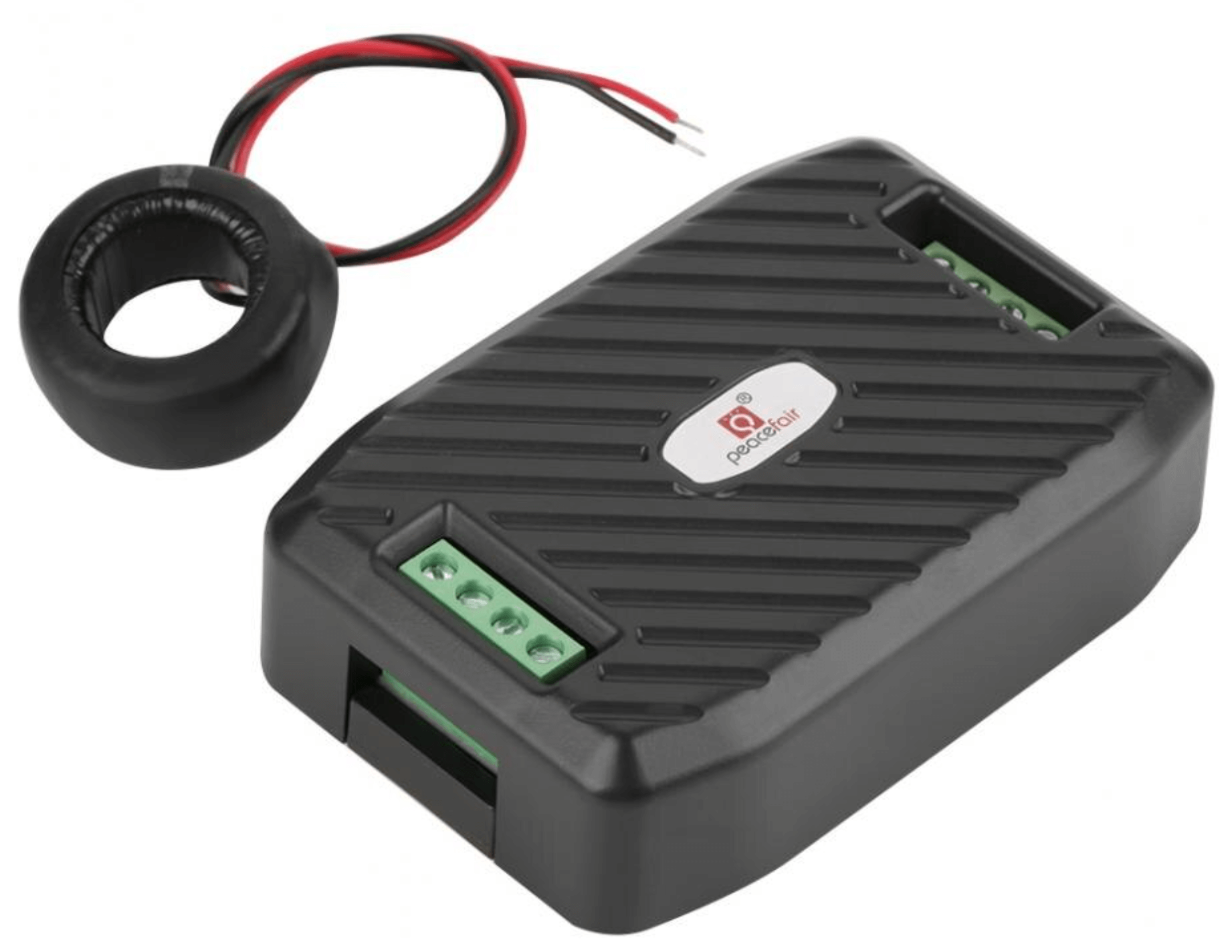
The pzemdc sensor platform allows you to use various DC Peacefair PZEM energy monitors
with ESPHome. The supported models are: PZEM-003, PZEM-014, PZEM-016 and PZEM-017.
The communication with this component is via a UART.
You must therefore have a uart: entry in your configuration with both the TX and RX pins set
to some pins on your board and the baud rate set to 9600.
# Example configuration entry
uart:
  tx_pin: D1
  rx_pin: D2
  baud_rate: 9600
  stop_bits: 2

sensor:
  - platform: pzemdc
    current:
      name: "PZEM-003 Current"
    voltage:
      name: "PZEM-003 Voltage"
    power:
      name: "PZEM-003 Power"
    energy:
      name: "PZEM-003 Energy"
    update_interval: 60s
Configuration variables

current (Optional): Use the current value of the sensor in amperes. All options from Sensor.
power (Optional): Use the power value of the sensor in watts. All options from Sensor.
voltage (Optional): Use the voltage value of the sensor in volts. All options from Sensor.
energy (Optional): Use the energy value of the sensor in kWh. All options from Sensor.
update_interval (Optional, Time): The interval to check the sensor. Defaults to
60s.address (Optional, int): The address of the sensor if multiple sensors are attached to the same UART bus. You will need to set the address of each device manually. Defaults to
1.
pzemdc.reset_energy Action
This action resets the total energy value of the pzemdc device with the given ID when executed.
on_...:
  then:
    - pzemdc.reset_energy: pzemdc_1
Alternative configuration via Modbus
While its own component is great working for a basic setup, you may want to have more possibilities while using modbus controller.
Example Config
#Where is the modbus hardware connect to?
uart:
  - id: modbus_uart
    tx_pin: gpio<XX> #User-defined
    rx_pin: gpio<XX> #User-defined
    baud_rate: 9600
    stop_bits: 1
    parity: NONE

#Lets define the modbus to use:
modbus:
  uart_id: modbus_uart
  id: my_modbus

#Lets intiate the Modbus Controller:
modbus_controller:
- id: pzem_hub
  modbus_id: my_modbus
  address: 0x01
  setup_priority: -10
  command_throttle: 100ms
  update_interval: "4s"

sensor:
  - platform: modbus_controller
    modbus_controller_id: pzem_hub
    name: "PZEM Voltage"
    id: pzem_dc_voltage
    icon: "mdi:flash"
    register_type: read
    address: 0x0000
    unit_of_measurement: "V"
    value_type: U_WORD
    accuracy_decimals: 2
    force_update: true
    filters:
      - multiply: 0.01

  - platform: modbus_controller
    modbus_controller_id: pzem_hub
    name: "PZEM Current"
    id: pzem_dc_current
    icon: "mdi:current-dc"
    register_type: read
    address: 0x0001
    unit_of_measurement: "A"
    value_type: U_WORD
    accuracy_decimals: 2
    filters:
      - multiply: 0.01
      # Using delta to ignore false values in case the PZEM Device is OFF
      - delta: 0.05
      # Using heartbeat to send an "alive" message to HA
      - heartbeat: 10s

  - platform: modbus_controller
    modbus_controller_id: pzem_hub
    name: "PZEM Power"
    id: pzem_dc_power
    register_type: read
    icon: "mdi:lightning-bolt"
    address: 0x0002
    unit_of_measurement: "W"
    value_type: U_DWORD
    accuracy_decimals: 2
    filters:
      - multiply: 0.1
      # DELTA-Filter: Does only send a new value if the new one is different by 3 Watt
      - delta: 3.0
      # Using heartbeat to send an "alive" message to HA
      - heartbeat: 10s

  - platform: total_daily_energy
    name: "PZEM Daily Energy"
    id: pzem_dc_energy_daily
    icon: "mdi:counter"
    power_id: pzem_dc_power
    unit_of_measurement: "kWh"
    state_class: total_increasing
    device_class: energy
    accuracy_decimals: 3
    filters:
      # Multiply to change from Watt hours to Kilo Watt hours (kwh)
      - multiply: 0.001
on_offline and on_online Action
Scenario: A binary sensor (id: bs_pzem_online) shall indicate if the device is off- or online.
  on_online:
    then:
      - binary_sensor.template.publish:
          id: bs_pzem_online
          state: ON

#Also possible writing it in lambdas:
  on_offline:
      then:
        - lambda: |-
            ESP_LOGW("pzem_hub", "Controller: Device is offline, zero'ing all sensors");
            id(bs_pzem_online).publish_state(false);

            //additionally lets zero all sensors as the device is offline
            id(pzem_dc_voltage).publish_state(0.0);
            id(pzem_dc_current).publish_state(0.0);
            id(pzem_dc_power).publish_state(0.0);